Installing on ASUSTOR NAS Manually
Before you begin installing NAKIVO Backup & Replication on a NAS, make sure your NAS model is supported and you have downloaded an installer (.apk file) for ASUSTOR NAS.
Note
Installing the NAKIVO Backup & Replication instance on your NAS-based backup appliance requires accurate knowledge of the hardware system information.
Refer to the following page to learn how to identify your ASUSTOR device CPU model: How to Identify the CPU Architecture of an ASUSTOR NAS Processor.
To manually install NAKIVO Backup & Replication on ASUSTOR NAS:
-
Open the ASUSTOR Desktop in your browser by entering the IP address of your ASUSTOR NAS.
-
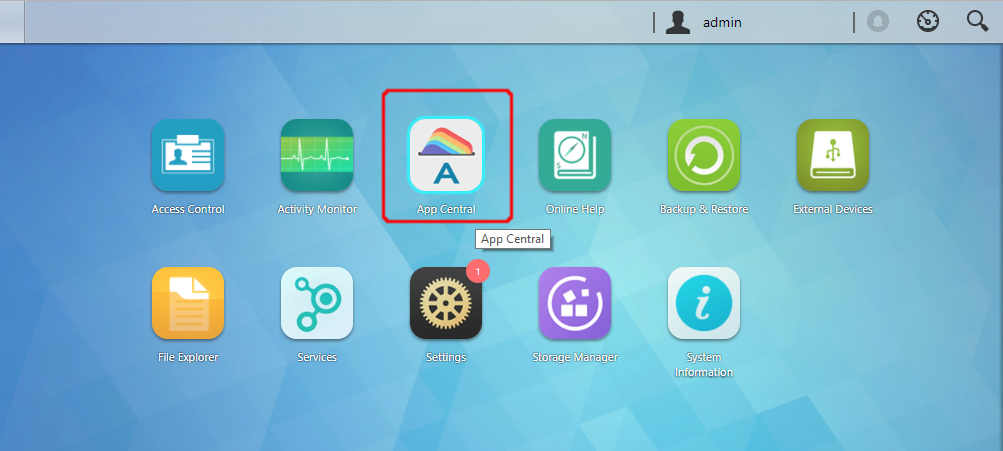
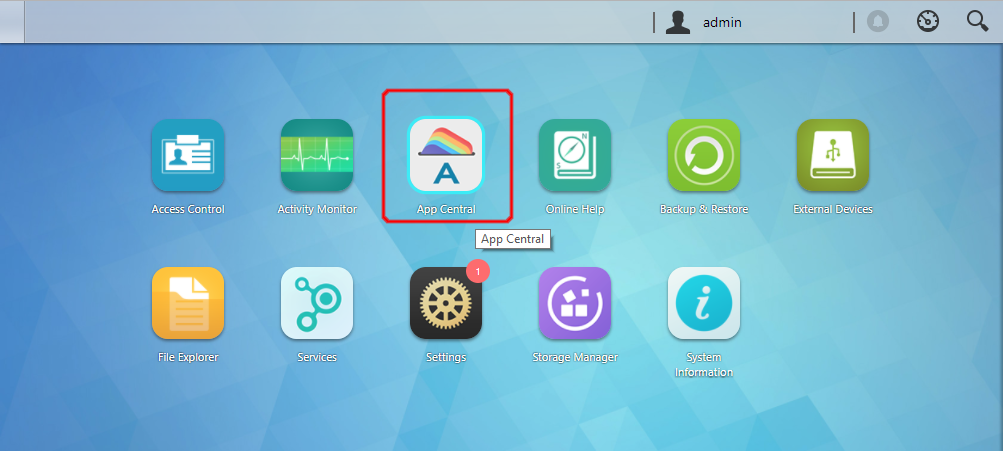
Go to App Central.
-
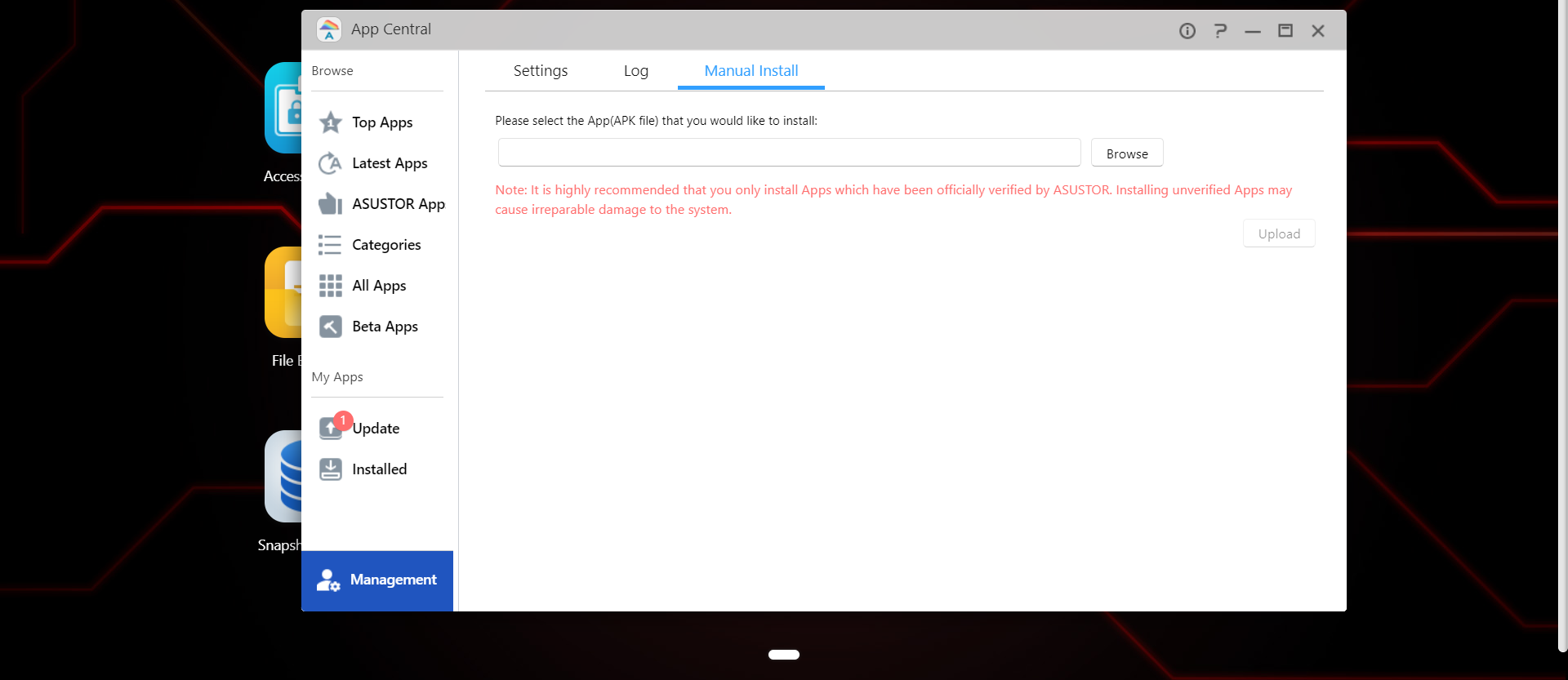
Click Management > Manual Install.

-
Click Browse. In the dialog box that opens, locate the installer (.apk file) on your computer.
-
Click Upload.
-
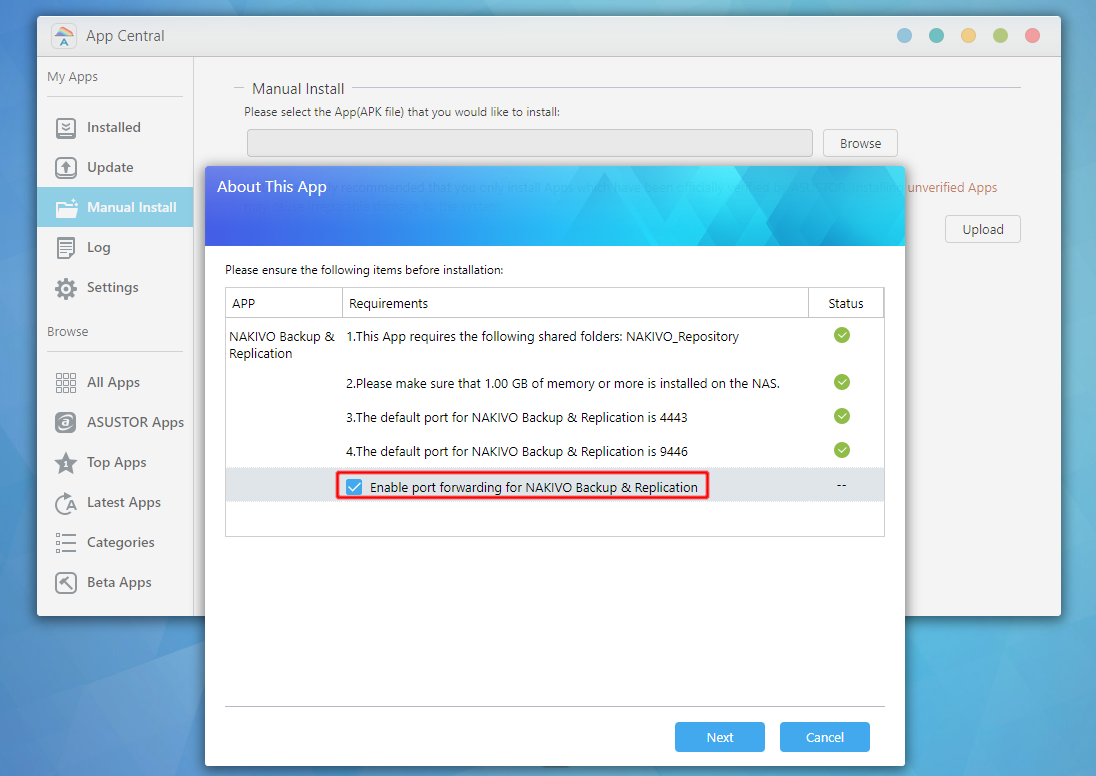
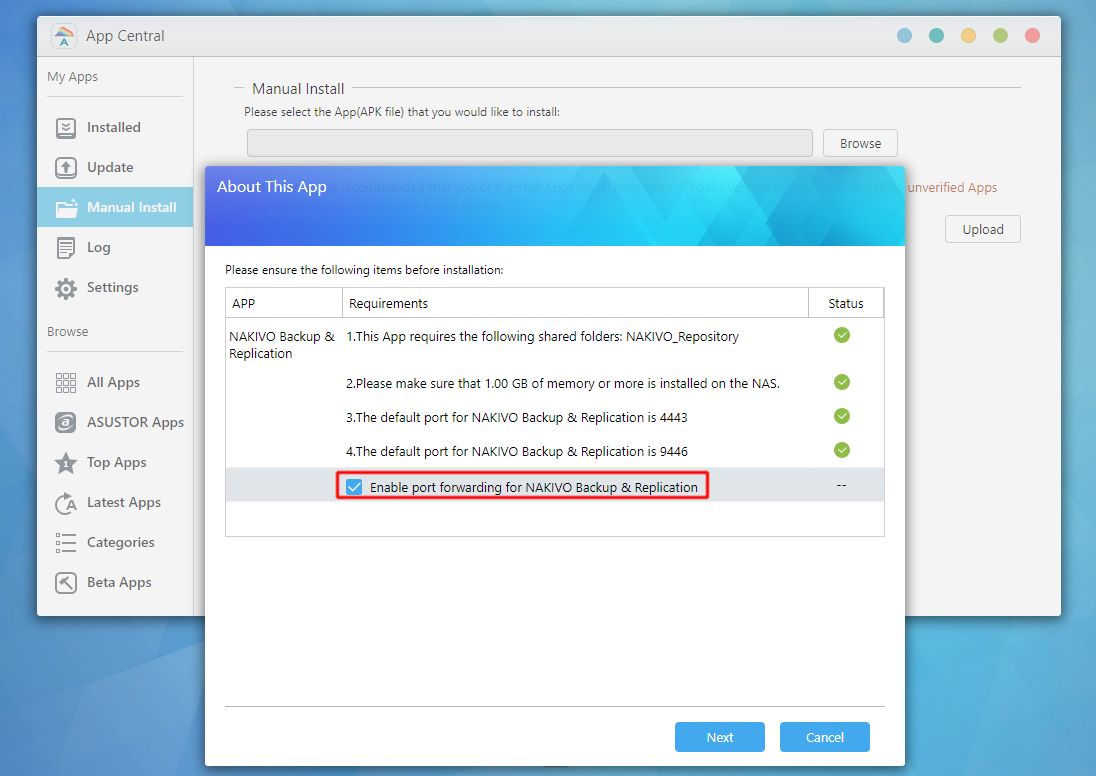
In the About This App dialog box that opens, check Enable port forwarding for NAKIVO Backup & Replication.
-
Click Next.
-
In the warning dialog box that opens, select I understand the risks associated with installing unverified apps.
-
Click Install.
-
Wait until the installation is complete.
By default, the NAKIVO Backup & Replication interface is available at the IP address of your ASUSTOR NAS on the port 4443: https://<IP_address_of_ASUSTOR_NAS>:4443.
Refer to Getting Started to understand better how to continue working with NAKIVO Backup & Replication.