Configuring Processing Settings
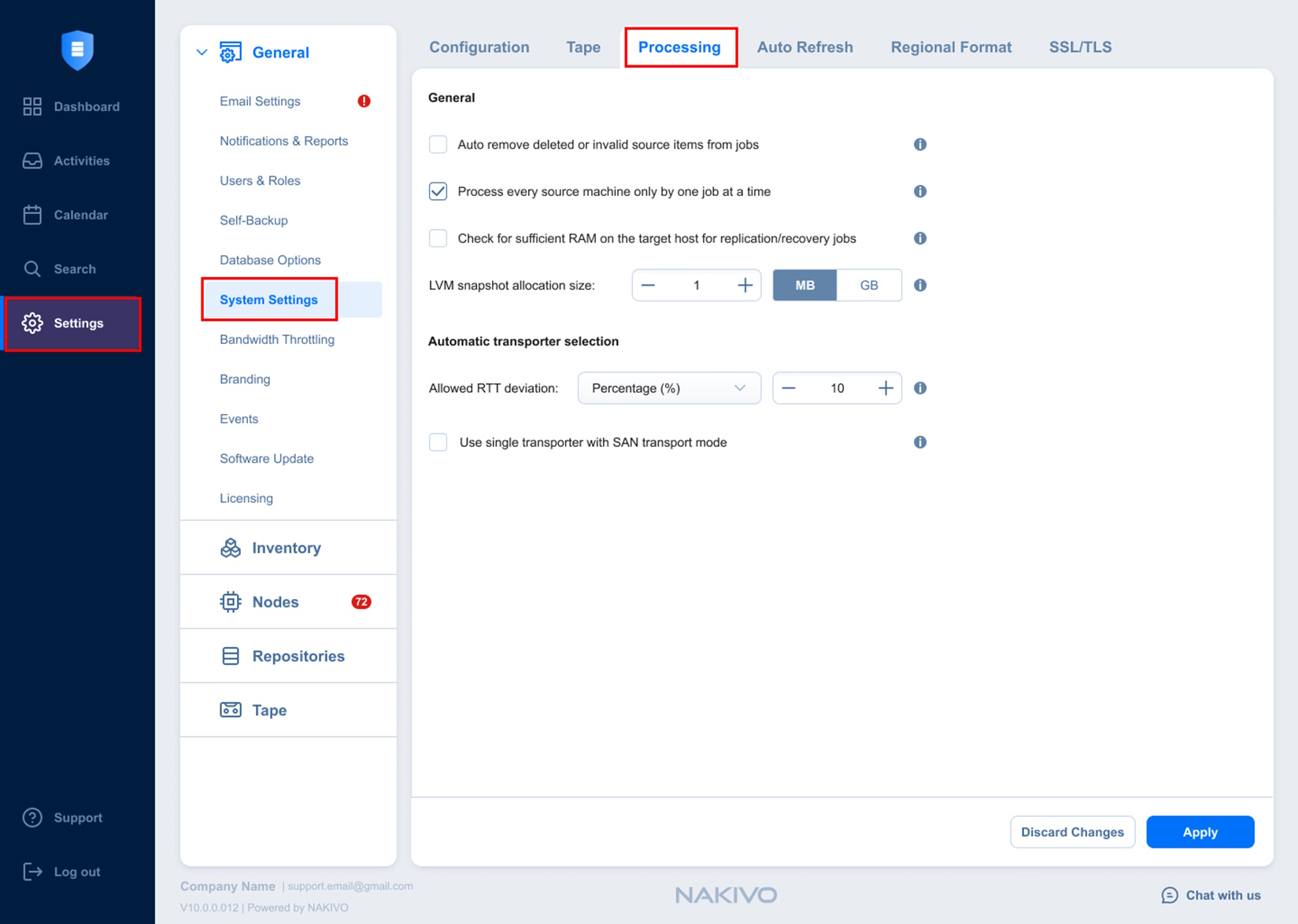
In this section, you can fine-tune how NAKIVO Backup & Replication processes source data during backup, replication, and recovery operations. Set the following options:
-
General:
-
Auto remove deleted or invalid source items from jobs: This option applies to a protected container (such as a VMware cluster or EC2 region). When this option is selected, if during an inventory refresh, NAKIVO Backup & Replication discovers that at least one VM and/or EC2 instance is no longer available in the protected container, these VMs and EC2 instances are automatically removed from all jobs.
-
Process every source item only by one job at a time: When this option is selected, all machines in backup and replication jobs are processed by one job at a time only. Running jobs and respective source objects are not affected after changing this setting. This option is always enabled for physical servers and real-time replication jobs.
-
Check for sufficient RAM on the target host for replication/recovery jobs: When this option is deselected, NAKIVO Backup & Replication does not check whether the amount of RAM on the target host is sufficient for replication and recovery jobs.
-
LVM snapshot allocation size: This option allows you to set an LVM allocation snapshot size for a Linux physical server backup. The default size is 1 GB. The maximum size is 1000 GB.
-
-
Automatic transporter selection: This section allows you to set the target transporter as a source transporter when finding the best data transfer path for a job object. To use a single transporter as a target and as a source, check the Use single transporter with SAN transport mode checkbox.
Notes
This setting can be applied to the jobs with the Transporters option set to Automatic selection (Options step, DataTransfer section).
This setting can be applied to jobs using the SAN transport mode.
-
Allowed RTT deviation: This option allows you to define the acceptable range for selecting data paths during job execution. You can specify the deviation as a percentage (%) or a threshold (ms). This setting helps you optimize job performance and evenly distribute the workload across transporters. When a transporter is selected automatically, the data path with the best RTT is used during the job. If load balancing is needed during data transfer, data paths with RTT values within the specified range are chosen to ensure smooth operation.
-
Use a single transporter with SAN transport mode: Select this checkbox to limit data transfer to a single transporter that is working as the target and source transporter when using SAN transport mode with automatic transporter selection enabled.