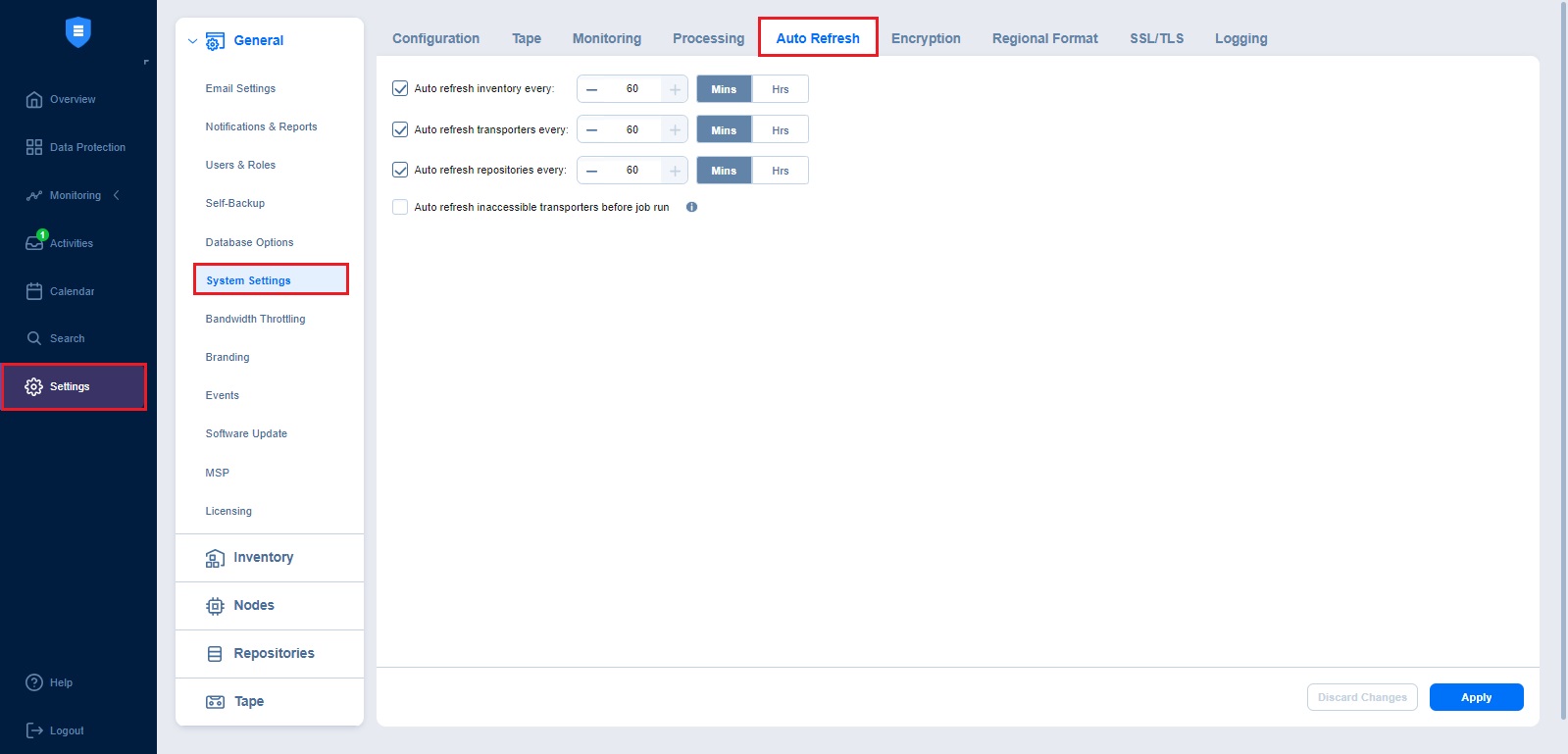
Configuring Auto Refresh Settings
In this section, you can control how often NAKIVO Backup & Replication automatically updates system inventories and infrastructure status. These options help keep system information accurate, reduce job failures caused by outdated data, and minimize the need for manual refresh operations.
Set the following options:
-
Auto refresh inventory every X minutes: Specify how often you want your inventories to be refreshed.
-
Auto refresh transporters every X minutes: Specify how often you want your transporters to be refreshed.
-
Auto refresh repositories every X minutes: Specify how often you want your repositories to be refreshed.
-
Auto refresh inaccessible transporters before job run: If this option is enabled, the product refreshes all inaccessible transporters before a job is processed.