Instant File Recovery to Source
The Instant File Recovery to Source feature allows you to recover files and folders to their original location or to a custom location with a single click. NAKIVO Backup & Replication can instantly recover files directly from compressed and deduplicated backups. File recovery is supported for both Windows- and Linux-based machines.
With a single action, selected files can be restored to their original location or to a specified custom location on any VM or physical machine. Files can also be downloaded to a local machine or sent via email. When files are restored to their original location, all original file permissions are preserved. The Instant File Recovery to Source feature works over both LAN and WAN connections. This means that even if local backups are unavailable, you can recover data from a backup copy stored remotely, such as in an Amazon EC2 environment. Note that recovery to the source location is performed using a system account.
The file recovery process is simple and intuitive. First, select the backup and recovery point from which you want to recover files. Available files and folders are displayed directly in the NAKIVO Backup & Replication web interface. You can browse or search for the required items, select the files to recover, specify the target location, and start the recovery. The selected files are then recovered immediately.
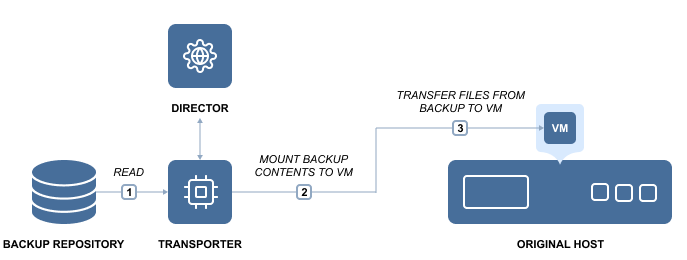
To learn how to recover files with NAKIVO Backup & Replication, refer to File Recovery.